CC1 - Encoder Brush Errors - Undulate; Etc
Back to Blog(s)
Step-by-Step Troubleshooting Summary for Roller Brush Rod & Motor Errors
-
Debug Test:
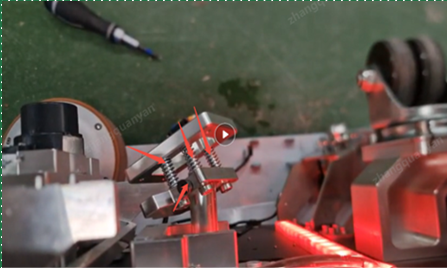
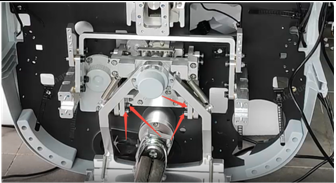
- Go to Business Debug → Roller Brush Rod Motor → Dust Push
- Check if the roller brush push rod extends normally
- If it sticks, apply lubricant or clean thoroughly
- Refer to Fig1 & Fig2
-
Brush Pusher Motor:
- If the issue persists, replace the roller brush rod motor
-
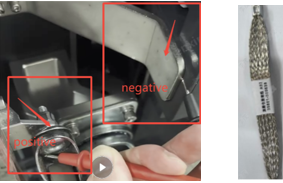
Roller Brush Impedance Value:
- Measure impedance using a multimeter
- If it’s greater than 1Ω, add a grounding wire
- Refer to Fig3 & Fig4
-
Run Test:
- Perform a machine test to check if the error still occurs
-
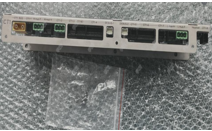
Change CT1 Board:
- If errors continue and restarting doesn’t help, replace the CT1 board
- Ensure cable connections are secure and correctly reconnected
- Refer to Fig5
-
Recheck:
- After all steps, verify the machine operates normally
⬇ Download Troubleshooting Guide
Contact Customer Support if the issue persists after completing all steps
Leave a comment below...