MT1 - AI DETECTION FEATURES AND SETTINGS OPTIONS
The PUDU MT1 uses AI-powered trash detection to automatically identify and categorize different types of debris for more precise cleaning. This helps reduce missed debris, avoid unnecessary cleaning overlap, and improve overall cleaning efficiency.
ACCESSING ADVANCED NETWORK SETTINGS ON PUDU DELIVERY BOT'S VIA ANDROID MENU
This guide explains how to access advanced network and WiFi settings on Pudu delivery BoTs through the debug and Android system menus. It covers both older and newer versions of Pudu OS, including how to reach the Android WiFi settings menu to troubleshoot or modify network connectivity settings.
CC1 - WORKSTATION DRAIN ERROR DIAGNOSTICS GUIDE
The CC1 - Workstation Drain Error Diagnostics Guide helps diagnose and resolve issues when the workstation is unable to properly discharge waste water.
CC1 - SIM CARD ACTIVATION NETWORK TROUBLESHOOTING
This instructional article explains how to activate mobile network connectivity on a BoT after installing the updated Radio Interface Layer (RIL) file and a Granite multi-carrier SIM card. It walks technicians through verifying 4G signal status, disabling Wi-Fi, enabling mobile data settings, and rebooting the unit so it can establish internet access through the SIM connection.
CC1 - ADJUSTING CLEANING WIDTH (OVERLAY SETTINGS) FOR BETTER EFFICIENCY
The Cleaning Width per Pass setting controls how much area the robot covers in each pass. Adjusting this value helps balance cleaning quality and time efficiency based on your environment.
CC1 – BLOWER BUSBAR UNDERVOLTAGE
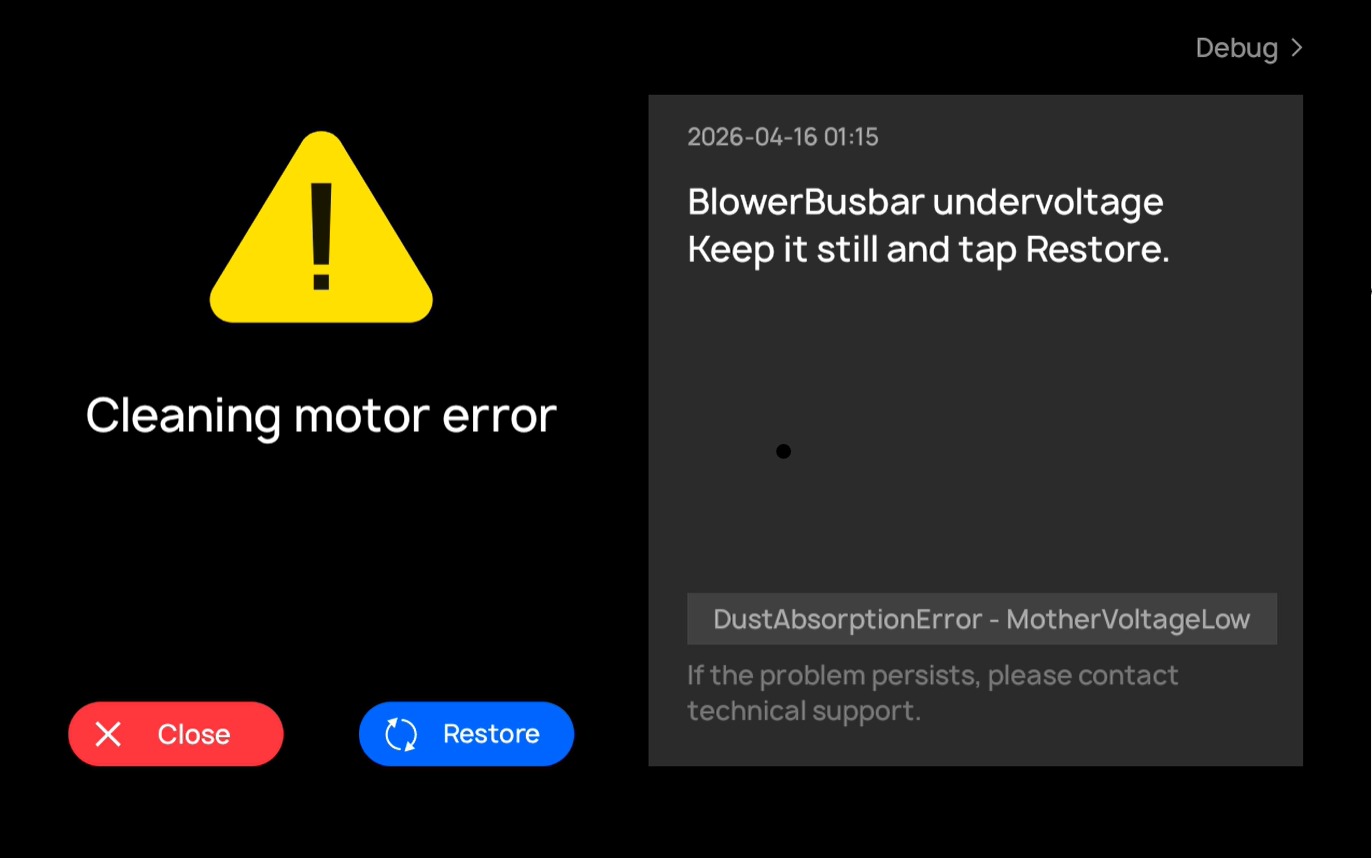
This article provides guidance for diagnosing and resolving the Bus Undervoltage (MotherVoltageLow) error on CC1 series robots.
CC1 - MAGNETIC INDUCTION HALL
This article shows how to troubleshoot magnetic induction errors.
CC1 - CLEAN WATER TANK DRAINAGE ON 2025 MODELS UPDATED FILTER
This article outlines the updated clean water system on the 2025 CC1 models, highlighting the improved lifetime metal mesh filter and the new spigot-style drain valve for easier and more efficient tank maintenance.
BELLA - CHECKCAN SELF-INSPECTION FAIL
This article outlines how to analyze CAN logs to diagnose a CAN headboard failure.
CC1 - ABNORMAL SEWAGE DISCHARGE
This article outlines common causes and step-by-step troubleshooting guidance for resolving sewage errors.
MT1 – ADJUSTING BRUSH HEIGHT
This guide explains how to adjust the brush height on the MT1 BoT for optimal cleaning performance.
MT1 - INSTALLING A SIM CARD ON MT1
This guide explains how to properly install a SIM card on the MT1 device to ensure reliable connectivity.
CC1 - REAR SQUEEGEE PUSHROD SUSPENSION HAS SEIZED BOT IS LEAVING STREAKS
If the rear pushrod and squeegee assembly are not lowering evenly or maintaining proper floor contact, the issue is likely caused by restricted or uneven movement in the hinged rear suspension assembly. This can lead to poor water pickup and visible streaking. The recommended solution is to lubricate the hinge points or fully service the assembly. If the issue persists, replacement of the rear suspension assembly may be required, as the pushrod actuator is typically not the root cause unless it is clearly malfunctioning.
CC3 - INTERNAL MEMORY CLEARING PROCEDURE WHEN STUCK IN STARTING PAGE
CC3 Washer App Stuck on Starting Page
This article explains how to clear the cache of the Washer App on the CC3 Android screen. Clearing the cache can resolve issues such as the app freezing, not loading past the start screen, or operating slowly.
SH1 - OVERSPEED ERROR (FAN_INTER_OVER_SPEED_ERR)
This article explains the common causes of the SH1 overspeed error. The SH1 overspeed error is typically caused by airflow restrictions.
BELLA - ACCESSING THE ANDROID HOME MENU
You may need to access the Android home screen remotely in order to do application maintenance. Such as updating, installing or un-installing an application. Sometime these application need to be signed into directly from the app. In order to do this you will need access to the Android application tray menu directly. This is the remote adb command process of how to get to this screen.
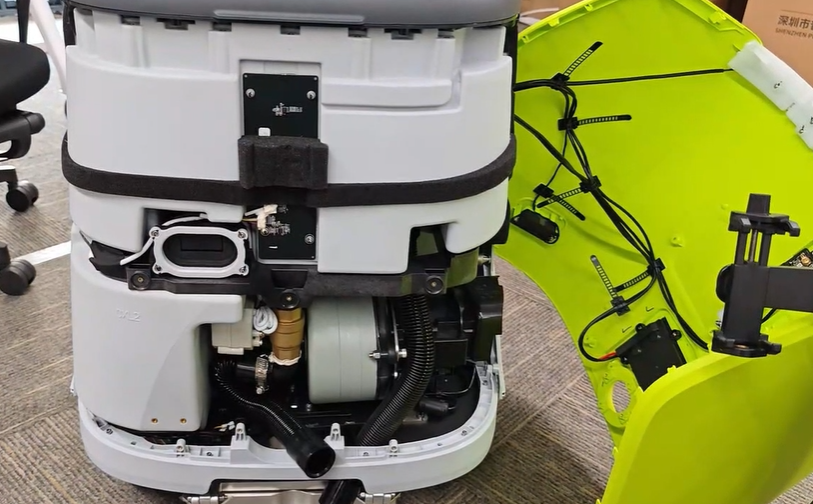
CC1- REMOVING AND RE-INSTALLING SUCTION HOSE
If you experience poor suction and flushing the suction hose does not improve the issue, or if you discover or suspect a torn hose, the unit may need to be partially disassembled to access the suction hose for inspection and replacement.
CC1 - CLEANING MOTOR ERROR - EDGESWIPEERROR- MOTOR STUCK
This article explains what causes the EdgeSwipeError – Motor Stuck error and how to temporarily resolve it by disabling the side brush while operating in Scrubbing Mode.
CC1 - ACTIVATING THE STROBE LIGHT ON THE BOT
This article explains how to enable and configure the strobe light on supported BoT models. Follow the steps carefully to ensure the strobe light functions correctly.
CC1 - ESP32 ERROR
This article explains how to resolve an ESP32 Error by updating the ESP32 device configuration in the robot’s system menu. This change disables ESP32 detection when the hardware is not present or required.
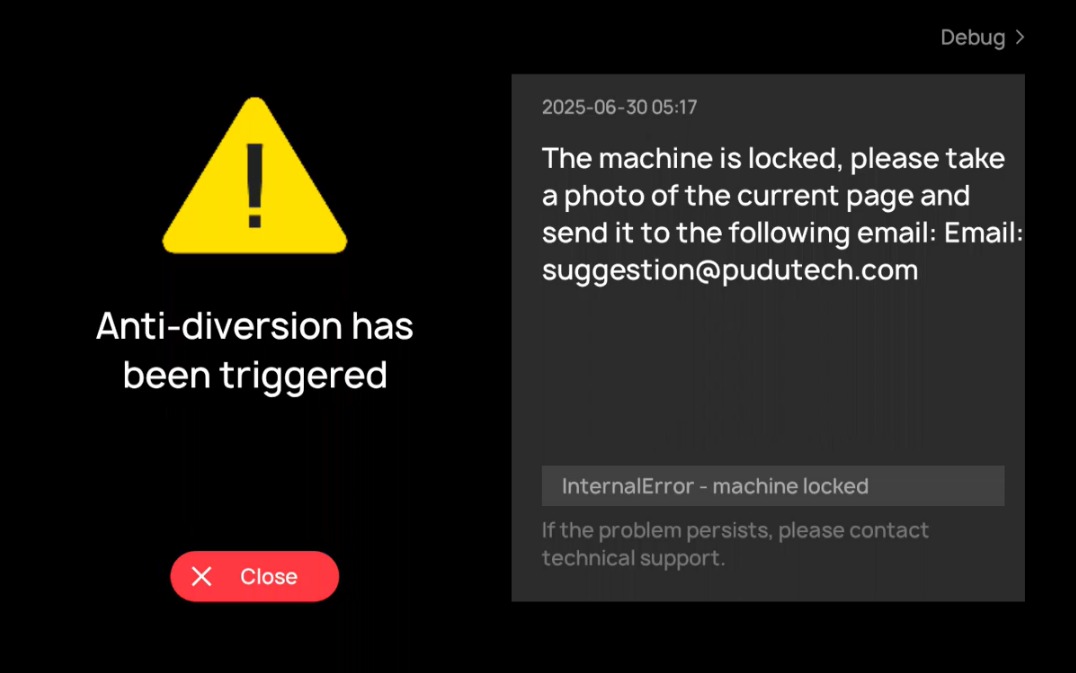
CC1 - ANTI DIVERSION TRIGGERED ERROR
The Anti-Diversion Error is triggered by the anti-diversion interface. This error generally occurs when the map has been modified while the robot is not connected to a network.
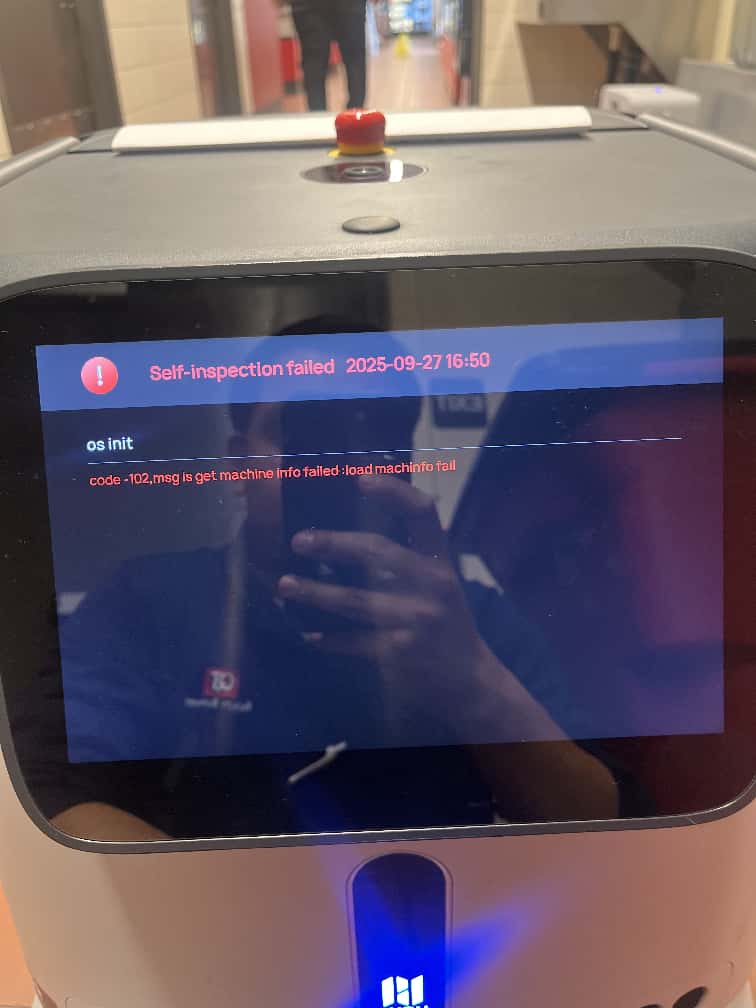
CC1 - OS INIT CODE - 102 ERRORS - GET MACHINE INFO AND LOADHARDWAREVERSION FAIL
This error message indicates a hardware communication failure involving components connected to the CT1 board, or a failure of the CT1 board itself.
.png)
CC3 - TRICKLE CHARGING THE BATTERY
This article explains the correct procedure for trickle charging a CC3 battery when it is drained below the recovery level of the standard charger.
BELLA - ERROR_BATTERY_PACK_COMM
Overview
ERROR_BATTERY_PACK_COMM indicates abnormal communication between the robot and its battery pack. This issue can be caused by loose cable connections, battery faults, board issues, or environmental interference such as static discharge or electromagnetic noise.
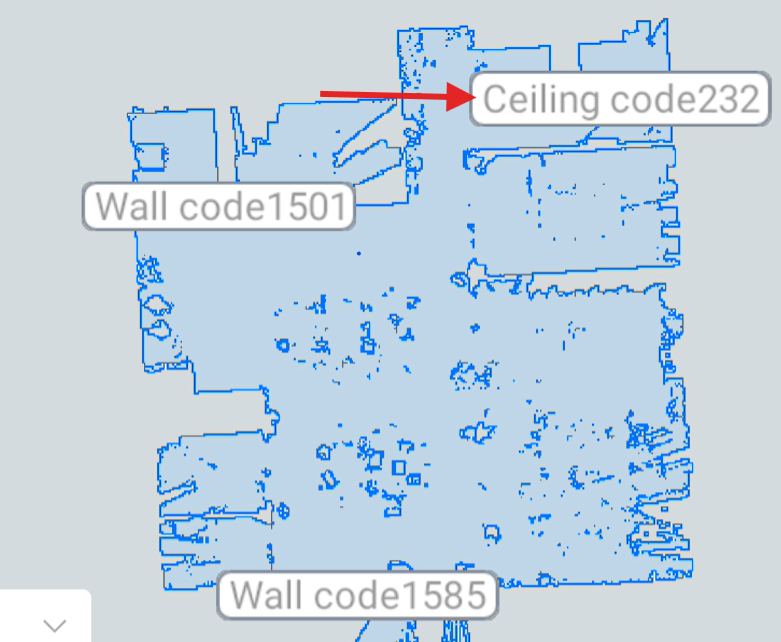
CC1- ADDING CEILING MARKERS TO A MAP
Ceiling and wall marker mapping solutions are available on the CC1. These solutions are based on the laser mapping system and can be enhanced by incorporating a small number of marker stickers to improve positional accuracy through integrated mapping.