CC1 - Dirty Water Tank Sensor Level Issues
If the dirty water tank sensor is not accurately displaying water levels when the tank is empty, it is likely due to dirt or residue buildup on the sensor. Follow these steps to resolve the issue.
-
Power Off the Unit: Ensure the unit is powered off before performing any maintenance to avoid potential hazards.
-
Access the Dirty Water Tank: Open the compartment where the dirty water tank is located and remove the tank cover.
-
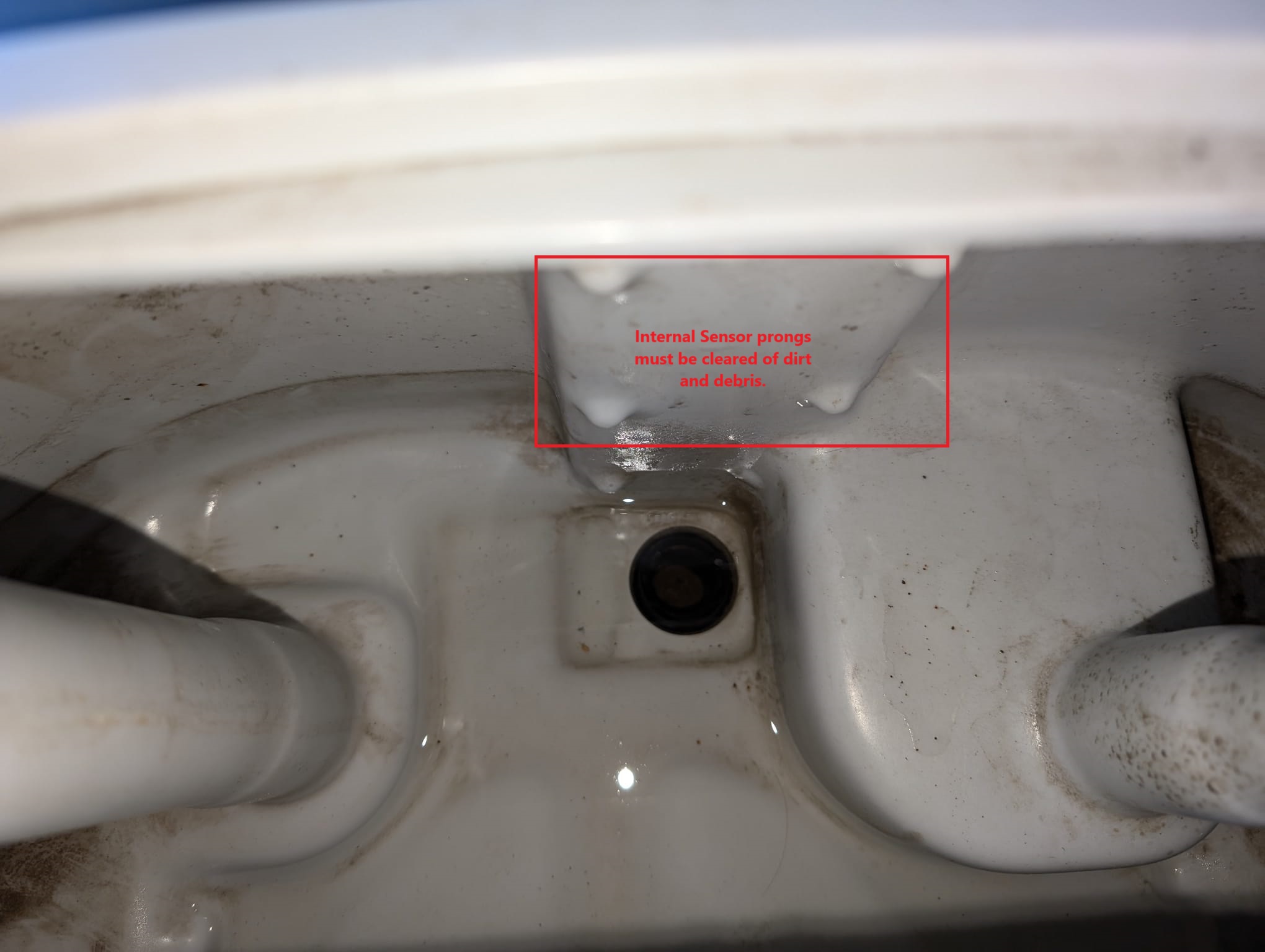
Inspect the Sensor: Locate the water level sensor inside the tank. Check for any visible dirt, debris, or buildup on the sensor.
-
Clean the Sensor:
- Use a soft cloth or sponge dampened with warm, soapy water to gently clean the sensor.
- Avoid abrasive materials that could damage the sensor.
- For stubborn residue, use a mild cleaning solution or vinegar to break down the buildup.
-
Rinse Thoroughly: Ensure no cleaning residue remains on the sensor by rinsing it with clean water.
-
Dry Completely: Allow the sensor to air dry completely or wipe it down with a lint-free cloth before reinstalling the tank.
-
Reassemble and Test: Reinstall the tank, power on the unit, and verify if the sensor correctly registers the water level.
-
Preventive Maintenance:
- Regularly clean the dirty water tank and sensor to prevent buildup.
- Rinse and empty the tank after each use to minimize residue accumulation.
If the issue persists after cleaning, the sensor may need to be inspected for damage or replaced.
Contact Customer Support for Assistance
Leave a comment below...